How to Check If an Image Is AI-Generated: Tools and Limits
How to Check If an Image Is AI-Generated: Tools and Limits
Have you ever seen an unbelievable photo online and wondered whether it was real? Perhaps it shows a celebrity doing something unexpected, a dramatic news event, an unusual product, or a person who seems almost too perfect.
AI image generators can create convincing pictures in seconds. Editing tools can also combine real photographs with generated elements. As a result, judging an image by appearance alone is no longer a dependable way to establish where it came from.
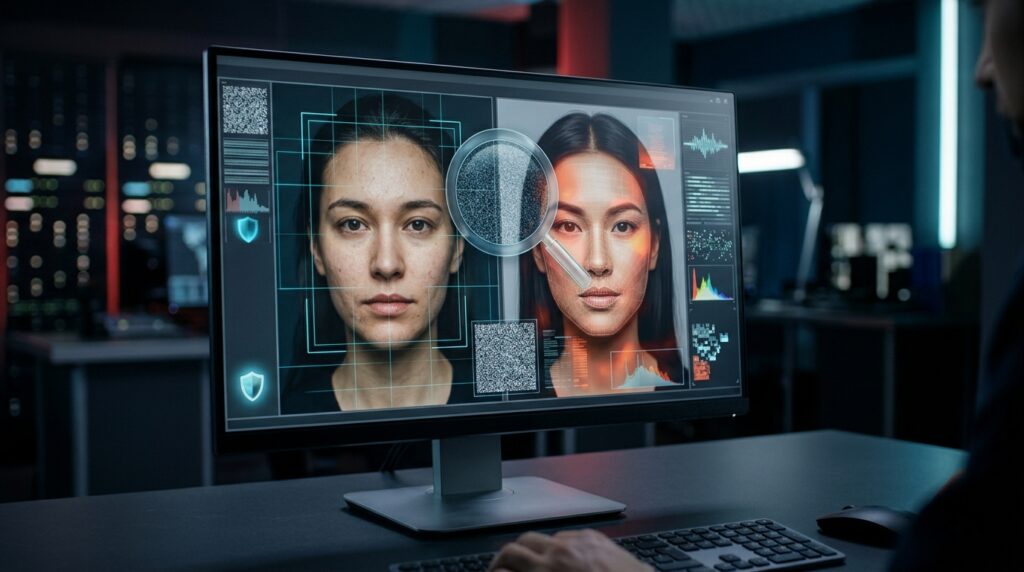
The good news is that you can investigate suspicious images without being a professional photographer or cybersecurity expert. Tools such as Google’s SynthID Detector, Content Credentials inspection, and reverse image search can help you gather useful evidence.
However, there is an important limitation: no detector can reliably identify every AI-generated image. A positive result may reveal a supported watermark or provenance signal. A negative result does not prove that a picture is real.
In this guide, you will learn how to check an image, interpret the results, recognize warning signs, and avoid common verification mistakes.
Quick Answer: How Can You Check Whether an Image Was Made With AI?
Use several checks instead of relying on one detector:
- Check the image with Google’s SynthID verification tools if you suspect it was created or edited using supported AI systems.
- Inspect Content Credentials to look for information about the image’s origin and editing history.
- Use reverse image search to find earlier appearances or identify the original source.
- Examine available metadata, while remembering that metadata can be missing or changed.
- Check the original publisher, photographer, news organization, or other source.
- Compare the image with independent reporting or other reliable evidence.
These steps can help you make a better-informed assessment. They do not guarantee that every image can be classified as either real or AI-generated.
Table of Contents
- Why checking AI-generated images matters
- How to use Google SynthID
- How to check Content Credentials
- Use reverse image search
- Look for visual warning signs
- Check image metadata
- Understand detection limitations
- A practical verification workflow
- Privacy and safety considerations
- Frequently asked questions
1. Why Is It Important to Check Whether an Image Is AI-Generated?
AI-generated images are not automatically harmful or misleading. Artists use them for creative projects, businesses use them in marketing, and publishers use generated illustrations to explain ideas.
The problem arises when an image is presented in a way that misleads people about what happened, who created it, or what it proves.
For example, a fabricated image of a public figure could be shared as breaking news. A synthetic product photograph could make a product look different from what a customer receives. An altered image could also be used to damage someone’s reputation.
Verification helps you make more informed decisions before sharing, publishing, purchasing, or drawing conclusions from a picture.
It is equally important to avoid making unsupported accusations. A photograph should not be labelled fake simply because it looks unusual or because an automated detector gives an uncertain result.
2. How to Use Google SynthID to Check an Image
SynthID is Google DeepMind’s watermarking technology for identifying supported AI-generated content. It embeds digital signals into content created by participating AI systems. These signals are designed to be imperceptible to people while remaining detectable by the relevant technology.
Google announced on October 7, 2026, that its SynthID Detector was expanding to global access in English. Google says the detector can help check supported images, videos, and audio associated with Google AI and participating partners.
Start with the official Google DeepMind SynthID page to access the latest information and available verification options.
Steps to follow
- Open the official SynthID page. Confirm that you are using a genuine Google DeepMind resource.
- Choose the available verification option. Follow the instructions for the detector or supported Gemini verification feature.
- Upload the image if requested. Use the original image file when possible rather than a screenshot or a heavily edited copy.
- Review the result. Read the explanation carefully to understand whether a supported watermark was detected or whether the result is inconclusive.
- Continue checking the source. Use reverse image search and other evidence before deciding what the result means.
What does a SynthID result tell you?
A detected watermark can provide evidence that content was generated or altered using a supported system. The exact interpretation depends on the tool and the result it returns.
However, SynthID is not a universal detector for every AI model. If an image was created by an unsupported tool, has no detectable supported watermark, or has undergone changes that affect verification, the result may not establish its origin.
For more information, read the official SynthID overview and Google’s guide to verifying AI-generated images, videos, and audio.
3. Check Content Credentials for an Image’s History
Another useful approach is to inspect an image’s Content Credentials. These credentials use the C2PA technical standard to record information about a digital asset’s origin and editing history when supported by the tools involved.
Depending on the available information, credentials may indicate which application or device signed the record, what actions were recorded, or whether AI generation was involved.
Think of Content Credentials as a digital history record rather than an AI detector that can inspect every image on the internet.
How to inspect Content Credentials
- Visit the Content Credentials verification page or the official Adobe Content Authenticity Inspect tool.
- Follow the site’s instructions to submit or inspect the image.
- Look for information about the creator or signing application, recorded edits, and any AI-related statements.
- Check who issued the credentials and what they actually claim.
- Compare the information with the image’s source and other evidence.
OpenAI also provides an official verification resource for supported provenance signals. See OpenAI’s image verification page and its explanation of provenance signals.
What if an image has no Content Credentials?
The absence of credentials does not prove that an image is fake or AI-generated. The image may have been created with a tool that does not add them. The credentials may also have been removed during editing, conversion, uploading, or sharing.
Likewise, valid credentials do not prove that the scene depicted is truthful. A properly recorded AI-generated image can still portray a fictional event.
4. Use Reverse Image Search to Find the Original Source
Reverse image search helps you find other pages where an image, or a visually similar version, appears. It is especially useful when a picture is being shared without a source or caption.
You can start with Google Images and use its image search features where available.
How to investigate an image
- Open Google Images and select the image-search option available to you.
- Upload the image or provide it through the supported search interface.
- Review visually similar results and pages that contain the image.
- Look for older publications, original captions, photographer credits, and links to reputable sources.
- Compare dates and details to see whether the image has been reused with a misleading description.
Suppose a dramatic image is claimed to show a recent natural disaster. If the same image appeared years earlier in an unrelated context, that is a reason to question the new claim.
However, reverse image search has limits. A newly created image may have no earlier matches, and an edited or cropped image may produce different results. Finding no matches is not proof that an image is AI-generated.
5. Look for Visual Warning Signs, but Do Not Rely on Them Alone
When checking an image, inspect details that may be inconsistent with the scene. AI systems sometimes produce errors in small objects, text, reflections, or the relationships between different parts of a picture.
Potential warning signs include:
- Unusual text: signs, labels, logos, or writing that appear distorted or meaningless.
- Inconsistent lighting: shadows and reflections that do not appear to match the scene.
- Strange object details: objects that merge together, have inconsistent shapes, or change unexpectedly.
- Background inconsistencies: repeated patterns, confusing structures, or details that do not fit the environment.
- Unnatural geometry: objects, furniture, buildings, or body parts that appear physically inconsistent.
These clues are not conclusive. Real photographs can contain motion blur, lens distortion, unusual shadows, compression artifacts, and editing errors. Modern AI-generated images can also avoid many of the older visual mistakes.
Use visual inspection to identify questions worth investigating, not as proof of an image’s origin.
6. Check the Image’s Metadata
Image metadata can contain information about a file, including the camera model, capture date, software used, and other technical details. Some photographs also contain GPS information, depending on the device and settings.
If you have the original file, inspect its properties or use a reputable metadata viewer. On many computers, basic file details are available through the file’s Properties or Get Info menu.
Metadata may help establish whether a file is consistent with the story being told about it. For example, a claimed original camera photograph may contain camera-related information worth checking.
But metadata is easy to misunderstand. Some genuine images have little or no metadata. Editing and social platforms can remove information, while metadata fields can sometimes be modified. A software name in the metadata also does not automatically prove that an image was generated by AI.
For these reasons, metadata is supporting evidence, not a final verdict.
7. Why AI Image Detectors Are Not Always Reliable
AI detection tools are useful, but they have different methods, supported formats, and limitations. Understanding those differences helps prevent false conclusions.
They may only recognize supported watermarks
A watermark-based tool looks for signals associated with systems it supports. It may not recognize images from unrelated AI models or images without the relevant signal.
Editing can complicate verification
Cropping, resizing, compression, screenshots, or re-saving can affect metadata and some provenance information. Some watermarks are designed to withstand common transformations, but that does not mean every change is harmless or every file remains verifiable.
Real images can be edited with AI
A photograph may begin as a genuine camera image and later have its background, objects, or other details altered using AI. The useful question is not always whether the entire image is real or fake. You may also need to determine which parts were changed.
A detector result does not establish the truth of a claim
Even if a tool identifies the software associated with an image, it does not automatically prove when the depicted event occurred, whether the caption is accurate, or whether the image has been presented in the correct context.
Different tools answer different questions
SynthID looks for supported watermark signals. Content Credentials provide information about recorded provenance. Reverse image search helps find appearances and possible sources. Visual inspection highlights inconsistencies. These methods complement one another, but they are not interchangeable.
8. A Practical Workflow for Verifying a Suspicious Image
If an image could affect someone’s reputation, influence a financial decision, or shape your understanding of a major event, take a few minutes to investigate it carefully.
- Save the source information. Record the page, account, caption, date, and link where you found the image.
- Look for the original publisher. Search for a photographer, news outlet, organization, or original post.
- Run a reverse image search. Look for earlier appearances and alternative captions.
- Check supported provenance signals. Use SynthID or a Content Credentials inspector where appropriate.
- Inspect the details. Look for inconsistencies, but remember that visual clues alone are weak evidence.
- Compare independent sources. Check whether reliable sources corroborate the event or claim.
- State your conclusion carefully. If the evidence is incomplete, say that the image could not be verified rather than calling it fake.
This process is useful for social media posts, viral photographs, product images, public announcements, and pictures shared in messaging groups.
9. Protect Your Privacy When Uploading Images to Verification Tools
Before uploading an image to an online detector, consider whether it contains sensitive information. A private family photograph, identification document, workplace image, or picture of a child may reveal more than you intend to share.
- Use official verification services and check their privacy information.
- Avoid uploading confidential or sensitive images to unknown websites.
- Do not assume that an online service will automatically delete a file immediately after analysis.
- Where appropriate, use a non-sensitive copy, while recognizing that cropping or editing may affect verification results.
- Do not upload private images simply to satisfy curiosity if the risk outweighs the benefit.
Verification should help you make better decisions without unnecessarily exposing your own information or someone else’s.
Frequently Asked Questions
Can I tell if an image is AI-generated just by looking at it?
Not reliably. Visual errors may provide clues, but realistic AI images can look convincing, and genuine photographs can contain unusual details. Use visual inspection alongside source research and appropriate verification tools.
What is the best tool for checking AI-generated images?
There is no single best tool for every image. SynthID is useful for checking supported watermark signals, Content Credentials can reveal recorded origin and editing information, and reverse image search can help locate earlier versions or sources. The best approach depends on the question you need to answer.
Does a negative SynthID result mean an image is real?
No. It means the tool did not establish the relevant supported watermark evidence in that check. The image may come from an unsupported AI system, lack a detectable signal, or have other limitations that prevent verification.
Can AI detectors identify images from every AI generator?
No. Detection methods have different coverage. A tool designed to find a particular watermark cannot be assumed to recognize every image created by every AI system.
Can Content Credentials prove that a photo shows a real event?
No. They can provide information about a file’s recorded origin and editing history. They do not independently prove that the event depicted happened as described or that its caption is accurate.
Can social media remove image verification information?
Yes. Depending on the platform and processing method, sharing or editing may remove or change metadata and some credentials. Some watermarking systems are designed to survive common transformations, but results can still vary.
Is it safe to upload any image to an AI detector?
Not necessarily. Read the service’s privacy information before uploading private, confidential, or sensitive content. Prefer established services and avoid unknown sites that make unrealistic claims about detection accuracy.
Final Thoughts
Learning how to check whether an image was made with AI is becoming an important digital skill. It can help you avoid misleading posts, investigate viral claims, and make better decisions about the content you see online.
Start with the image’s source, use available verification tools, and look for supporting evidence. Google SynthID, Content Credentials, reverse image search, and metadata inspection can each contribute useful information.
Most importantly, avoid treating any one result as a complete answer. A detected watermark can provide evidence of supported AI involvement, while a missing watermark does not prove that an image is genuine. When the facts remain uncertain, the responsible choice is to say so.
Official Resources
- Google DeepMind: SynthID
- Google Support: Verify AI-generated images, videos, and audio
- Content Credentials: Verification
- Adobe Content Authenticity: Inspect
- OpenAI: Image verification
- C2PA: Frequently asked questions
Explore More on PulseHubTV
- Best AI Tools for Content Creators in 2026
- 10 AI Skills That Will Stay Valuable Beyond 2026
- AI Side Hustles You Can Start From Your Phone in 2026
Share This Guide
If this guide helped you, share it with someone who wants to verify online images before trusting or reposting them.
Share on WhatsApp |
Share on Telegram |
Share on X |
Share on Facebook
About PulseHubTV: PulseHubTV publishes practical guides on artificial intelligence, technology, online business, digital skills, and money management to help readers make informed decisions in a changing digital world.
About The Author