Best AI Video Generators in 2026: Top Tools for Creating Videos

Author: PulseHubTV Editorial Team
📝 PulseHubTV Editor’s Note
AI video generation has moved from being an experimental technology to becoming a practical part of many creators’ workflows. Today, creators can use AI to help with everything from generating short clips and visual concepts to editing footage, creating captions, producing voiceovers and adapting videos for different platforms.
But choosing an AI video generator isn’t as simple as picking the tool with the most impressive demo. Different platforms are designed for different jobs. Some focus on text-to-video generation, while others concentrate on editing, avatars, animation, social content or cinematic visuals.
In this guide, PulseHubTV looks at the major factors creators should consider when choosing an AI video generator in 2026, including features, workflow, quality, usability, pricing considerations and potential limitations.
Editorial note: AI platforms change quickly. Features, pricing, usage limits, availability and licensing terms can change over time. Always check the provider’s current documentation and terms before making a purchasing or commercial-use decision.
⚡ Quick Article Summary
| Feature | Details |
|---|---|
| Topic | AI video generators |
| Best for | YouTubers, marketers, bloggers, social creators and businesses |
| Main uses | Video generation, editing, scripts, avatars, captions and visual effects |
| Skill level | Beginner to advanced |
| Pricing | Free, freemium and paid options |
🎞️ AI Video Generators: Quick Slides
Slide 1 — 🎬 AI Is Changing Video Creation
AI can help creators turn ideas, scripts and existing footage into videos faster.
Slide 2 — ✍️ From Text to Video
Some platforms can transform written prompts or scripts into visual video sequences.
Slide 3 — 🎨 Create Visuals
AI can help generate scenes, backgrounds, animations and other visual elements.
Slide 4 — 🎙️ AI Voice & Avatars
Some platforms offer synthetic voices, digital presenters and multilingual narration.
Slide 5 — ✂️ Smarter Editing
AI can help with captions, trimming, scene detection, audio cleanup and repurposing.
Slide 6 — 📱 Social Media
Short-form creators can use AI to adapt content for platforms such as YouTube Shorts and other social platforms.
Slide 7 — 💰 Watch the Costs
Free plans can be useful for testing, but credits, resolution, watermarks and export limits vary.
Slide 8 — 🧠 Keep the Human Touch
The best results usually combine AI speed with human storytelling, editing and fact-checking.
📌 Key Takeaways
- AI video generators can speed up several stages of video production.
- Different tools specialize in different types of video creation.
- Text-to-video is only one part of the modern AI video workflow.
- AI editing can be particularly useful for creators producing content regularly.
- Free plans are useful for testing before committing to a subscription.
- Commercial creators should carefully review licensing and usage terms.
- AI-generated footage should be reviewed before publication.
- Human creativity and editorial judgment remain important.
📑 Table of Contents
- What Is an AI Video Generator?
- Why AI Video Tools Matter in 2026
- Types of AI Video Generators
- Text-to-Video Tools
- AI Video Editing
- AI Avatar and Presenter Tools
- AI Tools for YouTube & Social Media
- How to Choose an AI Video Generator
- Pricing and Free Plans
- Pros and Cons
- Frequently Asked Questions
- PulseHubTV Final Verdict
🎥 What Is an AI Video Generator?
An AI video generator is software that uses artificial intelligence to assist with or automate parts of the video creation process.
Depending on the platform, you might provide a written prompt, script, image, existing video or other instructions. The software can then generate or modify visual and audio content based on those inputs.
Some platforms focus heavily on generative video, while others use AI primarily to automate traditional editing tasks.
That distinction is important.
A creator looking for cinematic AI-generated scenes may need a very different platform from someone who simply wants automatic captions and short clips from a long YouTube video.
🚀 Why AI Video Tools Matter in 2026
Video remains one of the most demanding forms of digital content to produce. Even a relatively simple video can involve research, scripting, filming or generation, editing, music, voiceovers, captions, thumbnails and distribution.
AI can reduce the amount of manual work involved in several of these stages.
For example, a creator might begin with an idea, use AI to develop a rough script, generate visual concepts, create supporting footage, produce captions and then edit the final video manually.
The result isn’t necessarily a completely automated production process. Instead, AI becomes another tool in the creator’s production toolkit.
💡 PulseHubTV Tip
Don’t choose an AI video tool simply because it can generate impressive clips. Choose one that solves a real problem in your content workflow.
If you’re looking for a broader overview of AI tools across writing, video, images, research and productivity, start with our main guide:
👉 Best AI Tools for Content Creators in 2026
🧩 Main Types of AI Video Generators
Not all AI video platforms work the same way. Understanding the major categories can make it easier to find the right solution.
1. Text-to-Video
These systems allow users to describe a scene or concept using text and generate video content based on the prompt.
They can be useful for creators who need visual material without filming every scene themselves.
2. Image-to-Video
Image-to-video tools start with a still image and use AI to animate or transform it into moving footage.
This can be useful for photographers, designers, marketers and creators who already have visual assets.
3. AI Video Editors
These platforms use AI to automate editing tasks such as cutting footage, generating captions, removing unwanted sections and identifying useful clips.
4. AI Avatar Platforms
Avatar-focused tools can create videos featuring digital presenters or AI-generated characters. These can be useful for training, educational, corporate and social content.
5. AI Video Repurposing Tools
These tools take existing long-form content and help transform it into shorter clips or platform-specific formats.
This can be particularly useful for creators who publish podcasts, interviews, webinars and long YouTube videos.
✍️ Text-to-Video: What Creators Should Know
Text-to-video generation is one of the most talked-about areas of generative AI.
The basic concept is straightforward: describe the scene you want, and the AI attempts to create a video matching your instructions.
However, the quality of results can vary depending on the complexity of the prompt, the type of movement required, the consistency of subjects and the capabilities of the platform.
For professional work, creators should therefore evaluate more than just a single impressive demonstration.
Look for:
- Visual consistency
- Motion quality
- Prompt control
- Output resolution
- Generation speed
- Editing flexibility
- Commercial-use terms
- Watermarks and export restrictions
🔗 Related PulseHubTV Guide
AI video generation is only one part of the wider creator ecosystem. Our main guide, Best AI Tools for Content Creators in 2026, covers other AI categories including writing, images, research, audio and productivity.
✂️ AI Video Editing Tools
AI video generation is only one side of modern video production. For many creators, the bigger time saver can come from AI-powered editing features that automate repetitive tasks.
Instead of manually searching through hours of footage, creating captions or cutting every pause, creators can use AI-assisted editing features to speed up the process and then make the final creative decisions themselves.
What can AI video editing help with?
- Automatic captions and subtitles
- Removing silences and unwanted sections
- Detecting scenes and important moments
- Creating short clips from longer videos
- Audio cleanup and enhancement
- Background removal
- Aspect-ratio conversion
- Adding or synchronizing captions
- Repurposing videos for different platforms
This is particularly useful for creators who publish frequently and need to turn one piece of content into multiple formats.
💡 PulseHubTV Insight
For many creators, the best AI video tool isn’t the one that generates an entire video from a single prompt. A tool that saves hours of editing every week can provide much more practical value.
🧑💻 AI Avatar & Presenter Tools
AI avatar platforms allow creators and businesses to produce videos featuring digital presenters without recording themselves for every video.
These tools can be useful for educational content, tutorials, product demonstrations, internal training, marketing videos and other formats where a presenter is required.
Common features include:
- AI-generated presenters
- Text-to-speech narration
- Multiple languages
- Voice options
- Script-to-video workflows
- Custom backgrounds
- Presentation-style videos
However, creators should consider whether an AI avatar actually improves their content. For personality-driven channels, a real presenter may still provide a stronger connection with the audience.
⚠️ Important: Voice and Likeness Rights
Creators should never use someone’s face, voice or likeness without appropriate permission. This is especially important when working with AI systems capable of generating realistic digital people or cloned voices.
When producing commercial content, also check the provider’s current rules regarding avatar ownership, voice licensing and commercial use.
📱 AI Video Tools for YouTube & Social Media
Short-form video has created a major opportunity for creators, but producing content consistently across multiple platforms can be difficult.
AI tools can help turn one long piece of content into several shorter pieces designed for different platforms.
For example, one long video could become:
- 🎬 A full YouTube video
- 📱 Several YouTube Shorts
- 📱 Short-form social clips
- 🐦 An X video post
- 📌 A Pinterest video pin
- 💼 A LinkedIn video
- 🎙️ An audio or podcast segment
The important part is not simply copying the same video everywhere. Each platform has its own audience, viewing habits and preferred formats.
AI can help with the technical adaptation, while the creator should still decide how the message should be presented to each audience.
📐 Choosing the Right Video Format
Before generating or editing a video, decide where the content will be published.
| Format | Typical Use | What to Consider |
|---|---|---|
| 16:9 | YouTube and websites | Landscape storytelling |
| 9:16 | Short-form video | Mobile-first viewing |
| 1:1 | Some social feeds | Square composition |
| 4:5 | Some social content | Mobile feed visibility |
Choosing the correct format before production can prevent unnecessary cropping and editing later.
🎯 Features That Matter Most When Comparing AI Video Generators
When comparing AI video generators, it’s easy to become distracted by flashy demonstrations. A better approach is to evaluate the features that affect your actual workflow.
1. Generation Quality
Look at movement, lighting, subject consistency, realism and how accurately the system follows prompts.
2. Consistency
If your video contains the same character, object or environment across multiple scenes, consistency becomes especially important.
3. Prompt Control
Advanced controls can make it easier to specify camera movement, composition, style and other details.
4. Editing Features
A generator that also provides useful editing controls may reduce the need to move your project between several applications.
5. Resolution
Check the maximum export resolution available under the plan you intend to use.
6. Watermarks
Some free or lower-priced plans may add watermarks. If you’re producing professional content, check this before committing to a plan.
7. Generation Credits
Many AI video services operate using credits or generation limits. Compare the actual amount of video you can produce rather than looking only at the monthly subscription price.
8. Commercial Rights
If you plan to monetize your videos or create content for clients, carefully review the current commercial-use terms.
9. Export Options
Check supported formats, resolutions, aspect ratios and whether the platform allows you to download your finished projects.
10. Ease of Use
A technically advanced platform isn’t necessarily the best option if it takes too long to learn.
🧪 How to Test an AI Video Generator Before Paying
If a platform provides a free trial or free credits, use them strategically.
Instead of generating one impressive demonstration, test the tool with a small project similar to the content you actually produce.
Try this five-step test:
- Use your normal content idea.
- Generate a short clip.
- Test another visual style or prompt.
- Export the result.
- Calculate how much time and money the tool would save you.
This gives you a much better idea of whether the platform fits your workflow.
💰 Don’t Compare Prices Alone
Two AI video platforms can have similar monthly prices but provide very different amounts of usable output.
When comparing plans, look at the total value rather than the subscription price alone.
| Factor | Why It Matters |
|---|---|
| Monthly price | Your direct subscription cost |
| Credits | Determines how much content you can generate |
| Resolution | Affects output quality |
| Watermark | Can affect professional publishing |
| Commercial rights | Important for monetized and client work |
| Export options | Determines how easily you can use the finished video |
🔗 Related AI Content on PulseHubTV
If you’re building a complete AI-powered content workflow, don’t stop at video generation.
Our main guide, Best AI Tools for Content Creators in 2026, covers AI tools for writing, video, images, research, audio and productivity.
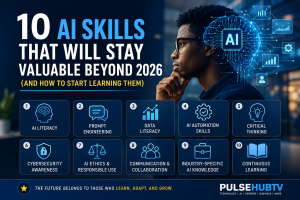
You can also explore 10 AI Skills That Will Stay Valuable Beyond 2026 to understand the skills that can remain valuable even as individual AI platforms change.
🧠 Human Creativity Still Matters
AI can generate footage quickly, but generation speed doesn’t automatically produce a good story.
A strong video still needs a clear idea, useful information, good pacing, appropriate visuals and an understanding of the intended audience.
The creator’s job is therefore changing rather than disappearing. Instead of manually performing every production task, creators increasingly have to direct, evaluate, edit and refine AI-assisted outputs.
🏆 PulseHubTV Creator Principle
Use AI to accelerate production, but keep humans responsible for the story.
📊 Best AI Video Generators in 2026: What to Compare
There is no single AI video generator that is automatically the best for everyone. A YouTube creator, social media manager, marketer and filmmaker may have completely different requirements.
Instead of choosing a platform because it is popular, compare it against the type of content you actually want to produce.
| What You Need | Important Features | Best For |
|---|---|---|
| Text-to-video | Prompt control, visual quality, consistency | Creative scenes and concepts |
| AI editing | Captions, clipping, audio and automatic editing | YouTubers and frequent creators |
| AI avatars | Presenters, voices and languages | Training and presentation videos |
| Video repurposing | Clipping, captions and resizing | Short-form social content |
| Image-to-video | Motion controls and image consistency | Designers and visual creators |
🏆 Which Type of AI Video Tool Is Best for You?
🎬 Best for cinematic experimentation
Creators interested in generating imaginative scenes should prioritize platforms with strong generative-video capabilities, good motion quality and detailed prompt controls.
📱 Best for social media creators
Social creators should prioritize fast generation, automatic captions, vertical-video support, templates and simple editing workflows.
▶️ Best for YouTubers
YouTubers may benefit more from tools that combine scripting assistance, editing, captions, audio processing, thumbnails and video repurposing than from a platform that only generates short AI clips.
💼 Best for businesses
Businesses should pay particular attention to brand consistency, commercial-use rights, privacy, collaboration features and the ability to maintain a consistent production workflow.
🎨 Best for creative professionals
Professional creators may prefer platforms offering greater control over generation, editing, visual consistency, resolution and export options.
💰 Free vs Paid AI Video Generators
Many AI video platforms offer some form of free access, trial credits or limited plans. This can be useful for beginners who want to test a workflow before spending money.
However, free access often comes with restrictions.
- Limited generation credits
- Lower output resolution
- Watermarks
- Slower generation
- Limited export options
- Restricted access to advanced features
- Limited commercial-use rights
Paid plans may provide higher limits and additional capabilities, but the most expensive plan isn’t automatically the best value.
💡 PulseHubTV Money-Saving Tip
Before paying for an AI video platform, calculate how frequently you will actually use it. A cheaper tool that you use every week can provide more value than an expensive platform that you only open once a month.
⚖️ Pros and Cons of AI Video Generators
👍 Advantages
- Can reduce video production time
- Useful for brainstorming visual concepts
- Can automate repetitive editing tasks
- Helps creators produce multiple content formats
- Can make some production workflows accessible to beginners
- Useful for testing creative ideas quickly
- Can assist with captions and transcription
- Can help creators repurpose existing content
👎 Potential Drawbacks
- Generated footage may contain visual inconsistencies
- AI outputs may require significant editing
- Generation credits can become expensive
- Free versions may include watermarks or restrictions
- Quality can vary between generations
- Commercial-use terms differ between providers
- AI-generated content can sometimes look generic
- Some workflows still require traditional editing software
🛡️ Responsible Use of AI-Generated Video
As AI-generated video becomes more realistic, creators have a greater responsibility to use these technologies carefully.
Creators should avoid presenting fabricated footage as genuine real-world events, particularly when doing so could mislead viewers.
When AI-generated visuals could reasonably be mistaken for authentic footage, transparency can help audiences understand what they are watching.
Creators should also be careful when generating recognizable people, voices, brands or copyrighted material. Always consider permission, rights and the current terms of the platform you are using.
🔐 Privacy & Security Considerations
Some AI video platforms allow users to upload scripts, images, recordings or other files.
Before uploading private or commercially sensitive material, review the provider’s current privacy policy and data-handling practices.
This is especially important for:
- Client videos
- Unpublished commercial projects
- Private recordings
- Business documents
- Personal information
- Proprietary brand assets
If you don’t understand how a platform handles uploaded content, investigate its current documentation before using it for sensitive projects.
🧠 AI Video Generation Still Needs Human Editing
One of the biggest misconceptions about AI video generators is that pressing a button automatically produces a finished professional video.
In reality, good content still requires direction.
The creator needs to decide what the audience should see, what the story should communicate, which scenes are useful, how the pacing should work and whether the final result is accurate and appropriate.
AI can speed up production, but it doesn’t eliminate the need for creative judgment.
🎯 The Better Workflow
Idea → Script → AI assistance → Human editing → Fact-checking → Final review → Publishing
This approach gives creators the productivity benefits of AI without surrendering control over the final content.
❓ Frequently Asked Questions
What is the best AI video generator in 2026?
There isn’t one AI video generator that is best for every creator. The right choice depends on whether you need text-to-video generation, editing, avatars, image animation, social-media clips or another specific workflow.
Are AI video generators free?
Some offer free plans, trials or limited credits. Paid plans generally provide higher usage limits or additional features. Pricing and restrictions vary, so check the provider’s current pricing before subscribing.
Can AI create a complete YouTube video?
AI can assist with many stages of YouTube production, including research, scripting, visuals, voiceovers, captions and editing. However, creators should review and refine the final video rather than publishing AI-generated material without checking it.
Can AI-generated videos be monetized?
Potentially, but monetization depends on the platform, the content itself and the applicable rights and policies. Creators should make sure they have the necessary rights to use generated assets and that their content meets the monetization requirements of the platform where it is published.
Can AI turn images into videos?
Yes. Image-to-video technology can animate still images and add movement based on user instructions. The quality and level of control vary between platforms.
Are AI avatars suitable for YouTube?
They can be useful for educational, informational and presentation-based channels. However, whether an avatar works well depends on the audience and the type of content. Personality-driven channels may benefit more from a real human presenter.
Will AI replace video editors?
AI is likely to automate more repetitive editing tasks, but professional video production involves storytelling, pacing, creative direction and judgment. Editors who learn to work effectively with AI may be able to produce content more efficiently rather than simply becoming unnecessary.
What should beginners look for in an AI video generator?
Beginners should prioritize ease of use, reasonable pricing, useful free access, export options, output quality, templates and the features that match their specific type of content.
🏆 PulseHubTV Final Verdict
AI video generators are becoming valuable tools for creators, but the best platform isn’t necessarily the one with the most advanced technology.
The best choice is the platform that fits your workflow, produces results you can actually use and provides enough value to justify its cost.
For beginners, our recommendation is to start with a free plan or trial where available, test the tool using a real project and evaluate the results before committing to a subscription.
For experienced creators, the focus should be on workflow efficiency, output consistency, commercial rights, editing control and the amount of time the platform genuinely saves.
Most importantly, don’t build your entire creative strategy around one AI platform. Tools will continue to change. The more valuable long-term investment is learning how to direct, evaluate, edit and combine AI tools effectively.
📚 Related PulseHubTV Articles
Best AI Tools for Content Creators in 2026
10 AI Skills That Will Stay Valuable Beyond 2026
The Rise of AI-Powered Jobs
Why AI Is Changing Jobs Around the World in 2026
📢 Share This Article
If you found this guide useful, share it with another creator who wants to explore AI video tools.
💬 Final Thought
AI video technology is moving quickly, but creators don’t need to chase every new platform.
Focus on finding tools that genuinely improve your workflow, learn how to use them effectively, and keep your own creativity at the center of the process.
The goal isn’t to create more videos just because AI makes it possible. The goal is to create better content more efficiently.
About PulseHubTV
PulseHubTV covers artificial intelligence, technology, gadgets, finance, online business and emerging digital trends. Our goal is to provide practical and accessible information that helps readers understand changing technology and make smarter digital decisions.
About The Author