Best AI Tools for Content Creators in 2026: Writing, Video & Images

Author: PulseHubTV Editorial Team
📝 PulseHubTV Editor’s Note
Artificial intelligence has quickly become one of the most useful technologies for modern content creators. Writers, YouTubers, bloggers, designers, marketers, podcasters, and social media creators can now use AI to speed up research, generate ideas, edit content, create visuals, and automate repetitive tasks.
However, not every AI tool is equally useful. Some are excellent for writing, while others are better suited to video production, image generation, research, audio, or productivity. In this guide, PulseHubTV examines some of the most useful AI tools for content creators in 2026 and explains where each type of tool can add genuine value.
Editorial transparency: AI tools change rapidly. Features, pricing, usage limits, and availability can change after publication. We distinguish established capabilities from features that may depend on a particular plan, region, or future update and will update this guide as significant changes occur.
⚡ Quick Article Summary
| What we’re covering | Details |
|---|---|
| Topic | AI tools for content creators |
| Best for | Writers, YouTubers, bloggers, designers, marketers & creators |
| Categories | Writing, video, images, research, audio & productivity |
| Skill level | Beginner to advanced |
| Pricing | Free, freemium and paid options |
| Updated | August 2026 |
🎞️ AI Tools for Content Creators: Quick Slides
Slide 1 — The AI Creator Revolution
AI is changing how creators research, write, design, edit and publish content.
Slide 2 — ✍️ Writing
Use AI to brainstorm ideas, create outlines, improve drafts, summarize information and refine writing.
Slide 3 — 🎬 Video
AI video tools can help creators generate clips, edit footage, create captions, produce voiceovers and speed up production.
Slide 4 — 🎨 Images
Image-generation and editing tools can help creators produce thumbnails, illustrations, social media graphics and visual concepts.
Slide 5 — 🎙️ Audio
AI can assist with transcription, voice generation, audio cleanup, podcast production and subtitles.
Slide 6 — 🔎 Research
AI-powered research tools can help creators organize information, summarize sources and identify useful ideas faster.
Slide 7 — ⚙️ Productivity
Creators can use AI to automate repetitive tasks and spend more time on creative and strategic work.
Slide 8 — 🏆 PulseHubTV Verdict
The best AI tool isn’t necessarily the most powerful one. It’s the tool that solves your particular workflow problem efficiently.
📌 Key Takeaways
- AI can reduce the time required for many repetitive content-production tasks.
- Different AI tools specialize in different parts of the creator workflow.
- Writers can use AI for brainstorming, outlining, editing and research assistance.
- Video creators can use AI for editing, captions, voiceovers and production workflows.
- Designers can use AI for image generation, editing and creative exploration.
- Creators should verify important facts rather than blindly publishing AI-generated information.
- Human creativity, judgment, originality and fact-checking remain essential.
📑 Table of Contents
- Why AI Tools Matter for Content Creators
- Best AI Tools for Writing
- Best AI Tools for Video
- Best AI Tools for Images
- AI Tools for Research
- AI Tools for Audio
- AI Productivity Tools
- AI Tools Comparison
- How to Choose the Right AI Tool
- Pros and Cons
- Frequently Asked Questions
- PulseHubTV Final Verdict
🤖 Why AI Tools Matter for Content Creators in 2026
Creating high-quality content has always required more than simply having a good idea. A creator may need to research a subject, write a script, design graphics, record audio, edit video, create a thumbnail, optimize the content for search, publish it across multiple platforms, and then analyze the results.
AI is increasingly being used to assist with many of these steps.
The biggest advantage is not necessarily replacing the creator. Instead, AI can function as a productivity assistant that helps reduce repetitive work and gives creators more time to concentrate on ideas, storytelling, editing decisions, audience understanding, and strategy.
For example, a YouTube creator could use AI to brainstorm video topics, develop an initial outline, generate captions, clean up audio, create visual concepts, and repurpose a long video into shorter social clips.
A blogger could use AI to organize research, identify questions readers may have, create an initial content structure, improve clarity, and generate ideas for related articles.
However, responsible use is important. AI-generated content can contain incorrect information, outdated claims, misleading citations, or generic language. That’s why creators should treat AI as an assistant rather than an unquestionable authority.
💡 PulseHubTV Tip
The strongest creator workflow is usually human creativity + AI assistance + human verification.
AI can help you move faster, but your experience, originality, judgment and understanding of your audience are what make the final content valuable.
✍️ Best AI Tools for Writing & Content Development
Writing is one of the areas where AI has become particularly useful for creators. Modern writing assistants can help with brainstorming, outlining, rewriting, summarizing, editing and adapting content for different audiences.
They can be particularly useful when a creator is facing a blank page or needs to transform a rough idea into a structured draft.
What creators can use AI writing tools for
- Generating content ideas
- Creating article outlines
- Brainstorming headlines
- Improving sentence clarity
- Summarizing lengthy material
- Creating social media variations
- Repurposing existing content
- Editing grammar and style
- Creating first-draft scripts
For professional publishing, however, AI-generated drafts should still be reviewed carefully. Creators need to check facts, add original insights, remove repetitive language, and ensure the final work genuinely helps the intended audience.
🏆 What makes a good AI writing tool?
When comparing AI writing platforms, don’t focus only on how impressive the generated text sounds. Look at factors such as accuracy, editing controls, context handling, ease of use, integrations, privacy, pricing, and how much control the creator has over the final output.
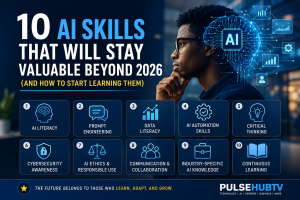
For creators who want to build long-term expertise, developing AI skills alongside using AI tools can be particularly valuable. Our guide, 10 AI Skills That Will Stay Valuable Beyond 2026, explores the human skills that can remain useful as AI continues to evolve.
🎬 Best AI Tools for Video Creation
Video production can be one of the most time-consuming parts of content creation. From scripting and editing to captions, voiceovers and repurposing, creators often have to manage several different tasks before a video is ready to publish.
AI video tools are changing that workflow by automating or assisting with some of these repetitive processes.
What AI video tools can help with
- Generating video concepts and scripts
- Creating short video clips from prompts
- Automatic video editing
- Removing unwanted sections
- Generating captions and subtitles
- Creating AI voiceovers
- Converting long videos into short-form content
- Generating visual assets
- Repurposing content for social platforms
For YouTubers and short-form creators, this can significantly reduce the amount of manual editing required. However, creators should still review AI-generated footage, narration and captions before publishing.
🎯 What to look for in an AI video tool
Look for tools that offer the features
📊 Best AI Tools for Content Creators: Comparison Guide
There is no single AI platform that is perfect for every creator. The right choice depends on what you create, how often you publish, your budget, and how much control you want over the final result.
| Creator Need | What to Look For | Best Use |
|---|---|---|
| ✍️ Writing | Strong editing, brainstorming & drafting | Articles, scripts & captions |
| 🎬 Video | Editing, generation, captions & repurposing | YouTube & short-form video |
| 🎨 Images | Generation, editing & commercial-use options | Thumbnails, blogs & social media |
| 🔎 Research | Source handling & information organization | Research and fact discovery |
| 🎙️ Audio | Transcription, cleanup & voice features | Podcasts and voiceovers |
| ⚙️ Productivity | Automation and workflow integrations | Planning and repetitive tasks |
Editor’s recommendation: Instead of subscribing to numerous AI services, start with the category that solves your biggest bottleneck. You can add specialized tools as your workflow grows.
🎯 How to Choose the Right AI Tool
Choosing an AI platform can be confusing because new products and features appear constantly. A tool that looks impressive in a demonstration may not necessarily be the right fit for your actual workflow.
1. Identify your biggest problem
Before looking at tools, determine what is slowing you down.
Is it writing? Editing videos? Creating thumbnails? Research? Social media management? Once you identify the bottleneck, finding the right tool becomes much easier.
2. Check the free plan
Many AI platforms offer free access with limitations. Test the workflow before paying for a subscription whenever possible.
3. Compare the actual usage limits
A low monthly price doesn’t always mean better value. Look at generation limits, credits, export restrictions, storage, resolution, commercial-use rights, and other limitations.
4. Consider privacy
Creators sometimes work with unpublished scripts, customer information, business documents, or other sensitive material. Before uploading important information, review the platform’s current privacy and data-handling policies.
5. Check commercial-use rights
If you’re creating content for clients, advertising campaigns, websites, or monetized channels, understand the platform’s current terms regarding commercial use and ownership.
6. Don’t ignore quality
The fastest AI workflow isn’t useful if the final content needs so much correction that it takes longer than doing the work manually.
💰 Free vs Paid AI Tools
Free AI tools can be surprisingly capable, especially for beginners. However, paid plans may provide higher usage limits, better models, additional features, faster generation, larger storage allowances, or access to advanced workflows.
For a new creator, starting free is often sensible. Once an AI tool consistently saves enough time or improves production quality, upgrading can make financial sense.
💡 PulseHubTV Money-Saving Tip
Don’t subscribe to five different AI platforms simply because they are popular. Start with one tool that solves your biggest problem, measure the time it saves you, and expand only when there’s a genuine need.
⚖️ Pros & Cons of Using AI for Content Creation
👍 Advantages
- Faster brainstorming
- Reduced repetitive work
- Faster content repurposing
- Lower barrier to creative experimentation
- Useful assistance for solo creators
- Faster editing and production workflows
- Can help creators publish more consistently
👎 Potential Drawbacks
- AI can produce inaccurate information
- Outputs may sound generic
- Subscription costs can add up
- Some features have usage limits
- Privacy considerations vary between services
- Commercial-use terms require attention
- Overreliance can weaken originality
🧠 AI Should Assist Your Creativity, Not Replace It
The biggest mistake creators can make is treating AI as a replacement for their own thinking.
A tool can generate a headline, but it doesn’t automatically understand your audience. It can produce an image, but it doesn’t necessarily know the visual identity of your brand. It can write a paragraph, but it doesn’t have your personal experience.
The creator remains responsible for deciding what deserves to be published.
That human layer—judgment, originality, storytelling, experience and fact-checking—is what can turn AI-assisted material into genuinely useful content.
📈 How AI Could Change the Creator Workflow
AI is likely to become increasingly integrated into everyday creator software. Instead of opening a separate AI application for every task, creators may increasingly encounter AI features directly inside writing, video editing, design, publishing and productivity platforms.
This could make AI less of a separate technology and more of an invisible layer within the creative workflow.
For creators, that means learning how to work effectively with AI may become more valuable than simply knowing the names of individual AI products.
❓ Frequently Asked Questions
What are the best AI tools for content creators in 2026?
The best tool depends on the type of content you produce. Writers, video creators, designers, podcasters and researchers have different requirements, so it’s better to choose tools based on your specific workflow rather than popularity alone.
Can AI create content completely by itself?
AI can generate substantial amounts of text, images, audio and video, but human review remains important. Creators should verify facts, check rights and licensing, edit the output, and add original value before publishing.
Are AI tools free?
Some AI tools offer free plans or limited free usage, while others require subscriptions. Features and pricing can change, so always check the provider’s current pricing page before subscribing.
Are AI-generated images safe to use commercially?
Commercial-use rights depend on the specific platform and plan. Creators should review the current terms of service and licensing conditions before using generated material in commercial projects.
Can AI tools help YouTubers?
Yes. AI can assist with topic research, scripts, thumbnails, video editing, captions, voiceovers, summaries and content repurposing. The creator should still control the creative direction and final publishing decisions.
Should beginners pay for AI tools?
Not necessarily. Beginners can start with free options and upgrade once a particular tool consistently saves enough time or provides enough additional value to justify the cost.
Will AI replace content creators?
AI is likely to automate some content-production tasks, but content creation involves more than generating material. Creativity, audience understanding, storytelling, personal experience, strategy and editorial judgment remain important.
🏆 PulseHubTV Final Verdict
AI tools have become powerful assistants for modern content creators, but the best results don’t come from simply generating as much content as possible.
The strongest approach is to use AI strategically: automate repetitive work, accelerate research and brainstorming, improve production workflows, and spend more of your time on the parts that require genuine human creativity and judgment.
For beginners, our recommendation is simple: start with one tool that solves your biggest workflow problem. Learn it properly, measure the results, and expand your toolkit only when another platform provides a clear advantage.
And remember that AI technology changes quickly. A tool that leads today may not lead tomorrow. Building transferable AI skills is therefore just as important as learning individual platforms.
🔎 Why You Can Trust PulseHubTV
PulseHubTV aims to provide practical technology information that helps readers make better decisions. Our editorial approach emphasizes transparent reporting, clear distinctions between verified information and expectations, and regular updates when important details change.
For AI tools specifically, readers should always verify current features, pricing, usage limits, privacy policies and commercial-use terms directly with the provider before making purchasing or business decisions.
📚 Related PulseHubTV Articles
10 AI Skills That Will Stay Valuable Beyond 2026
How Small Businesses Are Using AI in 2026
The Rise of AI-Powered Jobs
Why AI Is Changing Jobs Around the World
AI and Cybersecurity in 2026
AI in Finance, Banking & Investing
📢 Share This Article
If this guide helped you discover useful AI tools, share it with another creator.
💬 Final Thought for Creators
The future of content creation probably won’t belong to people who simply use the most AI tools. It will belong to creators who understand when to use AI, when not to use it, and how to combine AI assistance with human creativity.
Start small, experiment, verify your work, and build skills that remain valuable even as the tools change.
About PulseHubTV
PulseHubTV covers technology, artificial intelligence, gadgets, finance, online business and emerging digital trends. Our goal is to provide practical, accessible information that helps readers understand new technologies and make smarter decisions.
About The Author