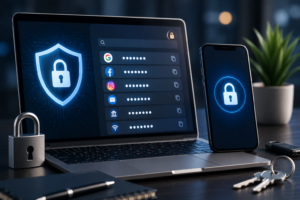
10 Everyday Cybersecurity Habits That Can Protect Your Data in 2026
Editorial Note: Cyber threats continue to evolve as more people work, shop, bank, and communicate online. This guide provides practical cybersecurity habits based on widely accepted security best practices. While no method can eliminate every cyber risk, following these recommendations can significantly improve your online safety and help protect your personal information.
📌 Key Takeaways
- Good cybersecurity starts with everyday habits rather than expensive software.
- Strong passwords and multi-factor authentication provide important layers of protection.
- Keeping devices updated helps reduce known security vulnerabilities.
- Cybersecurity awareness is becoming an essential life and workplace skill.
- Simple preventive measures can reduce the likelihood of many common online attacks.
Who Is This Guide For?
- Students
- Remote workers
- Business owners
- Online shoppers
- Social media users
- Anyone who wants to stay safer online
Table of Contents
- ⭐ PulseHubTV Quick Recommendation
- Introduction
- Why Cybersecurity Matters More Than Ever
- 1. Use Strong, Unique Passwords
- 2. Enable Multi-Factor Authentication
⭐ PulseHubTV Quick Recommendation
You don’t need to be a cybersecurity expert to stay safer online. Building a few simple daily habits—such as using strong passwords, enabling multi-factor authentication, and keeping your devices updated—can greatly improve your digital security.
Introduction
Whether you’re checking your bank account, shopping online, working remotely, or simply browsing social media, you’re constantly sharing information across the internet. While digital technology makes life more convenient, it also creates opportunities for cybercriminals to target individuals and businesses.
Cyberattacks are no longer limited to large corporations. Everyday internet users can become victims of phishing scams, identity theft, malware, ransomware, and account takeovers if basic security practices are ignored.
The good news is that protecting yourself online doesn’t always require advanced technical knowledge. Many cybersecurity risks can be reduced by following simple habits consistently.
In this guide, we’ll explore ten practical cybersecurity habits that anyone can adopt to better protect personal information, devices, and online accounts in 2026 and beyond.
If you’re new to password security, we recommend reading our beginner-friendly guide on
How to Choose and Use a Password Manager.
Why Cybersecurity Matters More Than Ever
As more services move online, protecting digital information has become increasingly important. Financial services, healthcare providers, schools, governments, and businesses all rely heavily on digital systems, making cybersecurity a shared responsibility.
Artificial intelligence is also transforming cybersecurity. AI helps detect cyber threats faster, but it can also be misused by attackers to create more convincing scams. Understanding both the opportunities and risks is becoming an essential digital skill.
Learn more in our related articles:
💡 PulseHubTV Insight
Cybersecurity isn’t just an IT issue anymore—it’s a life skill. As our personal and professional lives become more connected, digital safety is becoming as important as physical safety.
1. Use Strong and Unique Passwords
One of the easiest ways to improve your online security is by creating strong, unique passwords for every important account. Reusing the same password across multiple websites increases the risk of multiple accounts being compromised if one service experiences a data breach.
Consider using a trusted password manager to generate and securely store complex passwords.
⭐ PulseHubTV Pro Tip
A password manager can help you create long, unique passwords without needing to memorize each one. Combined with multi-factor authentication, it offers much stronger protection than relying on a single password.
2. Enable Multi-Factor Authentication (MFA)
Multi-factor authentication (MFA) adds an additional layer of security by requiring a second form of verification, such as a one-time code or authentication app, before allowing access to your account.
Even if someone discovers your password, MFA can make unauthorized access much more difficult.
Prioritize enabling MFA on:
- Email accounts
- Online banking
- Cloud storage
- Social media accounts
- Work-related services
3. Keep Your Devices and Software Updated
Software updates do more than introduce new features—they often fix security vulnerabilities that cybercriminals can exploit. Delaying updates leaves your devices exposed to known risks.
Enable automatic updates whenever possible for:
- Operating systems
- Web browsers
- Mobile apps
- Antivirus software
- Smart home devices
⭐ PulseHubTV Pro Tip
Install security updates as soon as they become available. Many cyberattacks target vulnerabilities that have already been patched but remain uninstalled on users’ devices.
4. Learn to Recognize Phishing Scams
Phishing remains one of the most common cyber threats. Attackers often impersonate trusted organizations to trick people into revealing passwords, financial details, or other sensitive information.
Warning signs include:
- Unexpected emails requesting urgent action.
- Links that don’t match the official website.
- Poor grammar or spelling mistakes.
- Requests for passwords or verification codes.
- Offers that seem too good to be true.
Always verify suspicious messages by visiting the organization’s official website instead of clicking links directly from emails or text messages.
5. Avoid Using Public Wi-Fi Without Protection
Public Wi-Fi networks in airports, hotels, cafés, and shopping malls can be convenient, but they may also expose your data if they are not properly secured.
If you must use public Wi-Fi:
- Avoid online banking or shopping.
- Use websites with HTTPS encryption.
- Consider using a trusted Virtual Private Network (VPN).
- Turn off automatic file sharing.
6. Back Up Important Data Regularly
Hardware failure, accidental deletion, malware, or ransomware can result in the loss of valuable files. Regular backups help you recover important information if something goes wrong.
A good backup strategy includes:
- Cloud storage.
- External hard drives.
- Automatic backup schedules.
- Periodic backup testing.
💡 PulseHubTV Insight
Cybersecurity isn’t only about preventing attacks—it’s also about recovering quickly when unexpected incidents occur.
7. Secure Every Device You Own
Smartphones, tablets, laptops, smart TVs, and even Internet of Things (IoT) devices can become entry points for attackers if left unsecured.
Protect your devices by:
- Using screen locks.
- Enabling biometric authentication where available.
- Turning on device encryption.
- Removing apps you no longer use.
- Downloading software only from trusted sources.
8. Think Before You Click
Many cyberattacks rely on human error rather than advanced hacking techniques. Taking a few extra seconds to verify links, attachments, and downloads can prevent many security incidents.
Ask yourself:
- Do I know who sent this?
- Was I expecting this message?
- Does the website look legitimate?
- Could this be a scam?
9. Protect Your Personal Information Online
Oversharing personal details on social media or public websites can make it easier for criminals to impersonate you or answer security questions used to access your accounts.
Limit the amount of personal information you share publicly, including:
- Your home address.
- Your phone number.
- Your date of birth.
- Travel plans.
- Financial information.
Review your privacy settings regularly and only share information with people you trust.
10. Continue Learning About Cybersecurity
Cyber threats evolve constantly, making continuous learning one of the most valuable cybersecurity habits. Staying informed helps you recognize new scams, understand emerging technologies, and make safer decisions online.
Cybersecurity also supports many sectors beyond technology. Healthcare organizations protect sensitive patient records, while renewable energy companies secure critical infrastructure that powers homes and businesses worldwide.
To learn more about these industries, explore:
- Global Healthcare Challenges and Innovations in 2026
- Electric Vehicles and the Global Green Energy Shift
- Renewable Energy and the Green Revolution
Common Cybersecurity Mistakes to Avoid
- ❌ Reusing the same password across multiple accounts.
- ❌ Ignoring software updates.
- ❌ Clicking unknown links or attachments.
- ❌ Using unsecured public Wi-Fi for sensitive activities.
- ❌ Sharing too much personal information online.
- ❌ Believing “it won’t happen to me.”
✅ Daily Cybersecurity Checklist
- ☐ Use unique passwords.
- ☐ Enable multi-factor authentication.
- ☐ Keep software updated.
- ☐ Verify emails before clicking links.
- ☐ Back up important files.
- ☐ Review privacy settings.
- ☐ Stay informed about new cyber threats.
Frequently Asked Questions (FAQs)
What is the biggest cybersecurity threat for everyday users?
Phishing remains one of the most common threats. Cybercriminals often use fake emails, text messages, or websites to trick people into revealing passwords, banking details, or personal information. Learning to recognize suspicious messages is one of the best defenses.
Do I need antivirus software in 2026?
For most users, reputable security software can provide an additional layer of protection alongside safe browsing habits, software updates, and multi-factor authentication. No single security tool can prevent every cyber threat, so a layered approach is recommended.
How often should I change my passwords?
Security experts generally recommend using strong, unique passwords for every important account and changing them immediately if you suspect they have been compromised. A password manager can make this process much easier.
Can smartphones be hacked?
Yes. Smartphones can be targeted through malicious apps, phishing attacks, unsecured Wi-Fi networks, or outdated software. Keeping your device updated and downloading apps only from trusted sources can reduce many common risks.
Why is cybersecurity becoming more important?
As more aspects of daily life move online—including banking, healthcare, education, shopping, and remote work—protecting personal information has become increasingly important. Cybersecurity helps individuals, businesses, and governments reduce digital risks and improve resilience.
Conclusion
Cybersecurity isn’t about living in fear of technology—it’s about using technology responsibly. By adopting a few simple daily habits, such as creating strong passwords, enabling multi-factor authentication, keeping software updated, and staying alert to online scams, you can significantly reduce many common cyber risks.
While cyber threats will continue to evolve, so will the tools and knowledge available to help people stay protected. Building good cybersecurity habits today is an investment in your digital future.
⭐ PulseHubTV Final Recommendation
Start with the basics. Secure your passwords, update your devices, enable multi-factor authentication, and stay informed about emerging threats. Small, consistent actions can make a meaningful difference in protecting your digital life.
Trusted References
- Cybersecurity and Infrastructure Security Agency (CISA) – Cybersecurity Best Practices.
- National Institute of Standards and Technology (NIST) – Cybersecurity Framework.
- European Union Agency for Cybersecurity (ENISA) – Consumer Security Guidance.
- Microsoft Security Learning Center.
- Google Safety Center.
Disclaimer: This article is intended for educational purposes only. Cybersecurity threats evolve over time, so readers should verify important security recommendations using current guidance from trusted organizations.
Related PulseHubTV Articles
- Beginner’s Guide to Password Managers
- The Rise of AI-Powered Jobs
- Why AI Is Changing Jobs Around the World
- Global Healthcare Challenges and Innovations in 2026
- Electric Vehicles and the Global Green Energy Shift
- Renewable Energy and the Green Revolution
📖 What to Read Next
Continue exploring PulseHubTV’s growing library of beginner-friendly guides covering artificial intelligence, cybersecurity, renewable energy, personal finance, technology, remote work, and digital skills. Our goal is to help readers make informed decisions in an increasingly connected world.
Share This Article
About PulseHubTV
PulseHubTV is an independent digital publication committed to delivering trustworthy, practical, and beginner-friendly content on technology, artificial intelligence, cybersecurity, business, personal finance, renewable energy, remote work, and digital skills. Our editorial team follows strong editorial standards focused on accuracy, transparency, and long-term value for readers worldwide.
Every evergreen article is reviewed periodically to ensure it remains accurate, relevant, and aligned with current best practices.
About The Author