iOS 27 Release Time Today: When the Update Arrives in Every Time Zone
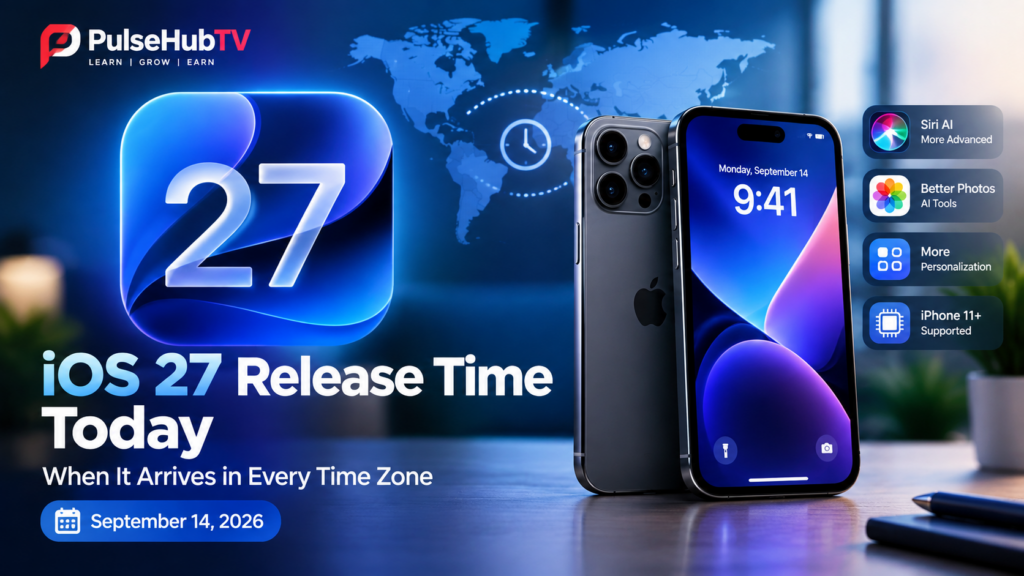
Editor’s Note: Apple is preparing to release iOS 27 on Monday, September 14, 2026. The update introduces a major Siri AI upgrade, new personalization options, improved photo tools and other changes for compatible iPhones. However, Apple has confirmed the release date but has not officially announced an exact release hour. The times below are estimates based on Apple’s usual software-release schedule.
For iPhone users in Nigeria and other countries, the main question is simple: When will iOS 27 become available on my device?
Apple normally releases major iOS updates at approximately 10:00 a.m. Pacific Time. If the company follows that pattern, iOS 27 should begin appearing around 6:00 p.m. in Nigeria on Monday, September 14.
The update may not appear on every iPhone at exactly the same minute. Apple’s servers may experience heavy demand, and some users may need to wait before the update becomes visible in the Software Update section.
Quick Answer: When Does iOS 27 Release?
Apple has confirmed that iOS 27 will be available from September 14, 2026. The expected release window is approximately:
- 10:00 a.m. Pacific Time
- 1:00 p.m. Eastern Time
- 6:00 p.m. Nigeria and UK time zones may differ by location
- 10:30 p.m. India Standard Time
- Early morning on September 15 in parts of Asia and Australia
These times are estimates, not an official worldwide release schedule from Apple.
Expected iOS 27 Release Time Around the World
The following table assumes Apple releases iOS 27 at 10:00 a.m. Pacific Daylight Time on September 14.
| Location | Expected Time | Release Day |
|---|---|---|
| Los Angeles, United States | 10:00 a.m. | Monday, September 14 |
| Denver, United States | 11:00 a.m. | Monday, September 14 |
| Chicago, United States | 12:00 p.m. | Monday, September 14 |
| New York, United States | 1:00 p.m. | Monday, September 14 |
| Toronto, Canada | 1:00 p.m. | Monday, September 14 |
| São Paulo, Brazil | 2:00 p.m. | Monday, September 14 |
| Lagos, Nigeria | 6:00 p.m. | Monday, September 14 |
| London, United Kingdom | 6:00 p.m. | Monday, September 14 |
| Accra, Ghana | 5:00 p.m. | Monday, September 14 |
| Johannesburg, South Africa | 7:00 p.m. | Monday, September 14 |
| Berlin, Germany | 7:00 p.m. | Monday, September 14 |
| Paris, France | 7:00 p.m. | Monday, September 14 |
| Cairo, Egypt | 8:00 p.m. | Monday, September 14 |
| Dubai, United Arab Emirates | 9:00 p.m. | Monday, September 14 |
| New Delhi, India | 10:30 p.m. | Monday, September 14 |
| Dhaka, Bangladesh | 11:00 p.m. | Monday, September 14 |
| Singapore | 1:00 a.m. | Tuesday, September 15 |
| Hong Kong | 1:00 a.m. | Tuesday, September 15 |
| Tokyo, Japan | 2:00 a.m. | Tuesday, September 15 |
| Seoul, South Korea | 2:00 a.m. | Tuesday, September 15 |
| Sydney, Australia | 3:00 a.m. | Tuesday, September 15 |
| Auckland, New Zealand | 5:00 a.m. | Tuesday, September 15 |
Important: Apple has not confirmed that every country will receive the update at the exact times listed above. The update may appear slightly earlier or later, depending on Apple’s rollout process and server traffic.
What Is New in iOS 27?
iOS 27 is one of Apple’s biggest software updates of the year. Its most notable change is the introduction of more advanced Siri AI capabilities.
1. A More Advanced Siri AI
Apple is introducing a more capable version of Siri that can understand natural-language requests and help users complete tasks more effectively.
The updated assistant is designed to make it easier to find information, ask follow-up questions and interact with supported features across the iPhone.
Apple says Siri AI will initially roll out in English. Additional languages, including French, Japanese, Korean, Portuguese and Spanish, are expected to follow in October.
2. Improved Photo Editing Tools
iOS 27 includes new AI-assisted photo features. These tools are designed to make editing easier and provide more control over how images are adjusted.
Some of the highlighted features include improved Clean Up tools and Spatial Reframing options for supported devices.
3. More Personalization Options
The update also brings additional ways to customize the iPhone experience.
Users can expect changes to icons, widgets, lock screen settings and interface controls. Apple is also adding more flexibility to the appearance and behavior of certain system features.
4. Additional Apple Intelligence Features
Several iOS 27 features are connected to Apple Intelligence. However, not every iPhone that can install iOS 27 will support every AI feature.
This distinction is important because software compatibility and Apple Intelligence compatibility are not the same thing.
Which iPhones Support iOS 27?
According to Apple’s compatibility information, iOS 27 supports the same broad iPhone range as iOS 26. This means the update is expected to support the iPhone 11 series and newer models.
The supported devices include:
- iPhone 18 Pro
- iPhone 18 Pro Max
- iPhone Duo
- iPhone 17e
- iPhone 17
- iPhone 17 Pro
- iPhone 17 Pro Max
- iPhone Air
- iPhone 16e
- iPhone 16
- iPhone 16 Plus
- iPhone 16 Pro
- iPhone 16 Pro Max
- iPhone 15
- iPhone 15 Plus
- iPhone 15 Pro
- iPhone 15 Pro Max
- iPhone 14
- iPhone 14 Plus
- iPhone 14 Pro
- iPhone 14 Pro Max
- iPhone 13
- iPhone 13 mini
- iPhone 13 Pro
- iPhone 13 Pro Max
- iPhone 12
- iPhone 12 mini
- iPhone 12 Pro
- iPhone 12 Pro Max
- iPhone 11
- iPhone 11 Pro
- iPhone 11 Pro Max
- iPhone SE, second generation and newer
Which iPhones Support the New Siri AI Features?
Although iOS 27 may install on iPhone 11 and newer models, some advanced Apple Intelligence features require more powerful hardware.
The new Siri AI and other Apple Intelligence features are expected to require an iPhone 15 Pro or newer, including supported newer models.
Therefore, an iPhone 11 user may receive iOS 27 but may not receive every AI feature shown during Apple’s demonstrations.
How to Install iOS 27 on Your iPhone
Once Apple makes the update available, you can check for it directly from your iPhone.
- Connect your iPhone to a reliable Wi-Fi network.
- Charge the device or connect it to a power source.
- Open the Settings app.
- Tap General.
- Select Software Update.
- Wait for your iPhone to check Apple’s servers.
- Tap Update Now or Download and Install if iOS 27 is available.
- Enter your passcode if requested.
- Allow the installation to finish.
Your iPhone may restart several times during the installation. Do not disconnect it from power while the update is being installed.
What to Do Before Installing iOS 27
Major software updates can take time and may require several gigabytes of free storage. Take these steps before beginning the installation.
- Back up your iPhone: Use iCloud or a computer to create a recent backup.
- Check storage: Remove unnecessary videos, downloads or apps if your storage is nearly full.
- Charge your device: Keep the battery sufficiently charged or connect the iPhone to power.
- Use Wi-Fi: Avoid downloading a large update through mobile data unless you have enough data available.
- Remember your passcode: You may need it after the update.
- Update important apps: Check the App Store for available app updates after installing iOS 27.
Should You Install iOS 27 Immediately?
Installing a major update on launch day is not always necessary.
Millions of users may attempt to download iOS 27 at the same time. This can cause slower download speeds, delayed verification or temporary server congestion.
If you need the new features immediately, you can install the update once it becomes available. However, if your iPhone is working well and you are not in a hurry, waiting one or two days may provide a smoother experience.
It is also wise to check early user reports for battery performance, app compatibility and unexpected bugs before updating a device that you rely on for work.
Why iOS 27 May Not Appear Immediately
There are several reasons why the update may not show up at the expected time.
- Apple’s servers may be experiencing heavy traffic.
- Your iPhone may need to refresh the Software Update page.
- Your device may not be compatible with iOS 27.
- You may not have enough free storage.
- Your internet connection may be unstable.
- Apple may be adjusting the rollout schedule.
If the update does not appear immediately, wait a few minutes and check again. Avoid repeatedly restarting the phone unless there is a specific problem.
Other Apple Software Updates Arriving
iOS 27 is not expected to be the only major Apple software release arriving around this date.
Apple is also preparing updates across its operating-system family, including iPadOS, macOS, watchOS, tvOS and visionOS.
However, the exact timing and availability of each platform may differ. Users should check the Software Update section on their individual devices rather than assuming every update will appear simultaneously.
Frequently Asked Questions
What time will iOS 27 be released in Nigeria?
iOS 27 is expected to become available at approximately 6:00 p.m. Nigerian time on Monday, September 14, if Apple follows its usual 10:00 a.m. Pacific release pattern. Apple has not officially confirmed the exact hour.
Is iOS 27 available for iPhone 11?
Yes. iOS 27 is expected to support the iPhone 11 series. However, some advanced Apple Intelligence and Siri AI features may require an iPhone 15 Pro or newer.
Will every iPhone receive all iOS 27 features?
No. Some features depend on the iPhone model, processor, language, region and Apple Intelligence support. Installing iOS 27 does not automatically provide every feature on every device.
How do I check for iOS 27?
Go to Settings > General > Software Update. Your iPhone will check Apple’s servers and display the update if it is available for your device.
Should I wait before installing iOS 27?
If you are concerned about launch-day bugs or slow downloads, waiting a day or two may be sensible. Users who want the new features immediately can install the update after backing up their device.
Will Siri AI work on older iPhones?
The advanced Siri AI experience is expected to require supported Apple Intelligence hardware, such as the iPhone 15 Pro and newer compatible models. Older iPhones may receive iOS 27 without receiving every AI feature.
Final Thoughts
iOS 27 is arriving on September 14, 2026, with a major focus on Siri AI, personalization and improved intelligent features.
For users in Nigeria, the expected release time is around 6:00 p.m., although Apple has not confirmed an exact worldwide rollout hour. The update may also take time to appear because of server demand.
Before installing, back up your iPhone, check your storage and connect to a reliable Wi-Fi network. If you own an iPhone 15 Pro or newer, you may also be able to use the advanced Apple Intelligence features that are not available on every compatible iPhone.
Key Takeaway:
iOS 27 is expected to roll out around 10:00 a.m. Pacific Time on September 14, which translates to approximately 6:00 p.m. in Nigeria. The release time is not officially confirmed, so check Settings > General > Software Update and be prepared for possible server delays.
Official Apple Resources
Share This Article
Know someone waiting for iOS 27? Share this guide so they can check the expected release time for their country.
About PulseHubTV
PulseHubTV publishes practical guides and updates covering technology, gadgets, artificial intelligence, business, cryptocurrency and digital trends. Our goal is to help readers understand important developments and make informed decisions.
About The Author